
Cloud Cost Optimization in 2026: A Practical Guide for Businesses
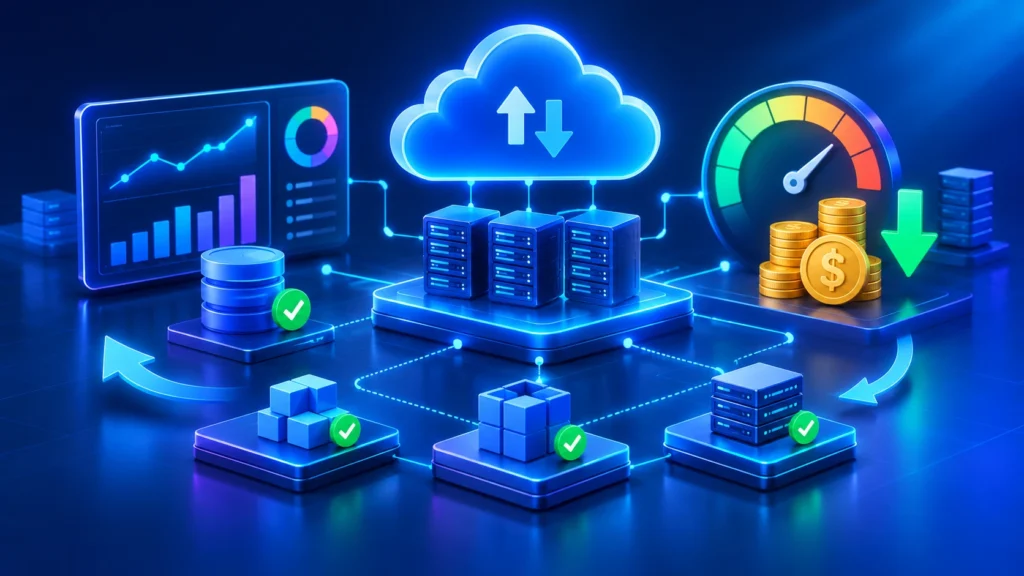
Cloud Cost Optimization Beyond Cost Cutting: How Businesses Can Get More Value From Cloud Investments in 2026
Cloud computing gives businesses the flexibility to launch applications, scale infrastructure, and support customers without managing every part of their own data center. But as applications grow and cloud services become more complex, infrastructure costs can increase faster than expected.
A business may pay for servers that are rarely used, storage that is no longer needed, databases with more capacity than required, or services that teams have forgotten to switch off. These costs can quietly accumulate and reduce the value of cloud investments.
In 2026, cloud cost optimization is about more than reducing monthly bills. It means understanding where technology spending goes, matching resources to real workloads, and making sure infrastructure investments support business goals.
What Is Cloud Cost Optimization?
Cloud cost optimization is the process of managing cloud resources and spending so that applications receive the capacity they need without paying for unnecessary infrastructure.
It involves reviewing how resources are provisioned, monitoring actual usage, selecting suitable pricing options, improving application architecture, and continuously adjusting infrastructure as workloads change.
For example, an application that runs on oversized virtual machines may be able to deliver the same performance on smaller instances. A development environment that is only used during business hours may not need to run overnight. Old backups and unused storage volumes may also be increasing costs without providing business value.
The objective is to find the right balance between cost, performance, reliability, security, and scalability. Simply choosing the cheapest infrastructure is not always the best decision if it affects application availability or user experience.
Why Cloud Cost Management Matters in 2026
Cloud environments are changing. Businesses are managing more services, more data, hybrid infrastructure, SaaS subscriptions, and AI workloads. Each area introduces different pricing models and makes it harder to understand total technology spending.
Flexera’s 2026 State of the Cloud Report found that 68% of surveyed organizations ranked optimizing existing cloud use as a leading cloud initiative. The report also estimated that 29% of cloud spend was wasted, highlighting how much room many organizations still have to improve resource utilization.
The FinOps Foundation’s 2026 State of FinOps research also shows how the discipline is expanding beyond traditional cloud infrastructure. According to the report, 98% of respondents manage or plan to manage AI spending, while 90% manage or plan to manage SaaS spending.
These findings reflect a wider challenge: businesses need visibility into technology costs, but they also need to understand what those costs deliver. A lower cloud bill is useful, but not if it comes at the expense of performance, customer experience, or business growth.
Common Reasons Cloud Infrastructure Costs Increase
1. Oversized Cloud Resources
Teams sometimes provision more CPU, memory, or storage than an application actually needs. This can happen when infrastructure is selected based on expected peak demand rather than measured usage.
Oversized resources can remain in place for months even when workloads are consistently using only a small portion of their capacity. Regular monitoring and right-sizing can help align infrastructure with actual demand.
2. Unused or Forgotten Resources
Temporary development environments, test databases, unattached storage volumes, old snapshots, and unused virtual machines can continue generating charges after a project or experiment has ended.
Resource ownership, tagging, scheduled shutdowns, and automated cleanup policies help teams identify and remove infrastructure that is no longer required.
3. Uncontrolled Data Storage and Backups
Applications generate logs, uploaded files, database backups, analytics data, and temporary files. Without retention policies, storage usage can grow continuously.
Businesses should review how long different types of data need to be retained, move infrequently accessed information to suitable storage tiers, and remove expired data in accordance with business and regulatory requirements.
4. Inefficient Application Architecture
Cloud costs are influenced by application design, not just infrastructure pricing. Inefficient database queries, repeated API calls, unnecessary background jobs, and poorly managed caching can increase compute, database, and network usage.
Improving application performance can sometimes reduce the infrastructure capacity required to support the same number of users.
5. Unpredictable Traffic and Workloads
Applications may experience sudden increases in traffic during promotions, seasonal events, product launches, or business growth. If infrastructure is not configured to respond appropriately, teams may overprovision resources or struggle with performance during peak periods.
Auto-scaling, load testing, workload forecasting, and sensible capacity limits help businesses respond to changing demand more efficiently.
6. Limited Cost Visibility
When cloud resources are shared across several teams, projects, and environments, it can be difficult to determine who is responsible for individual costs.
Without clear ownership and cost allocation, teams may not notice waste or understand the financial impact of their technical decisions.
Practical Strategies to Optimize Cloud Costs
1. Monitor Cloud Usage Regularly
Start by understanding what the business is currently paying for. Review compute, storage, databases, networking, managed services, backups, and other major cost categories.
Use cloud billing dashboards and monitoring tools to identify spending patterns, unusual increases, and resources with low utilization.
Cost reviews should happen regularly rather than only when a monthly invoice becomes unexpectedly high. Frequent reviews make it easier to identify changes while they are still manageable.
2. Right-Size Compute and Database Resources
Compare provisioned capacity with real workload metrics. Review CPU utilization, memory usage, database connections, query performance, and application response times.
Where appropriate, move workloads to smaller instance sizes or select more suitable compute families. Test changes in a controlled environment before applying them to production.
Right-sizing should be based on both utilization and performance. Reducing capacity too aggressively can create slow applications and service interruptions.
3. Use Auto-Scaling for Variable Workloads
Auto-scaling allows infrastructure capacity to increase or decrease based on defined metrics such as CPU utilization, request volume, queue length, or other workload indicators.
This can help businesses avoid keeping peak capacity active when demand is low. It is especially useful for applications with changing traffic patterns.
Set appropriate minimum and maximum limits, configure meaningful scaling thresholds, and test how the application behaves when capacity changes.
4. Schedule Non-Production Environments
Development, testing, staging, and demonstration environments often do not need to run continuously.
Businesses can schedule these resources to shut down outside working hours and start automatically when teams need them. This reduces unnecessary compute usage while keeping environments available during normal development activities.
Before applying schedules, identify any background jobs, integrations, or testing processes that require continuous availability.
5. Improve Storage and Backup Management
Review storage consumption and establish policies for data retention, backup frequency, and archival.
- Identify unused volumes, snapshots, and temporary files.
- Choose storage tiers based on access frequency and retrieval requirements.
- Set retention policies for logs and backups.
- Remove expired data when it is no longer required.
- Monitor storage growth over time.
Storage optimization should always preserve required recovery points and meet applicable data retention obligations.
6. Optimize Application Performance
Cloud optimization should include application-level improvements. Review slow database queries, repeated processing, inefficient API requests, unnecessary data transfers, and opportunities for caching.
For example, caching frequently requested data can reduce repeated database operations. Background processing can prevent expensive tasks from slowing down user-facing requests. Better query design can reduce database load.
These improvements can reduce resource consumption while also improving application responsiveness.
7. Use Pricing Options Carefully
Major cloud providers offer different pricing models, including on-demand usage, commitments, reserved capacity, and spot or interruptible resources.
Predictable workloads may benefit from commitment-based pricing when the organization understands its long-term requirements. Flexible workloads may be suitable for lower-cost interruptible capacity if interruptions can be handled safely.
Review the terms, flexibility, utilization requirements, and potential risks before committing to a pricing option. A discount is not valuable if the business pays for capacity it does not use.
8. Set Budgets, Alerts, and Resource Ownership
Budgets and alerts help teams identify unexpected spending before it becomes a major problem. Configure alerts for important projects, environments, and services.
Use consistent resource tags to identify the application, owner, environment, and business unit associated with each resource. This makes it easier to allocate costs and investigate unusual usage.
Alerts do not automatically prevent all overspending, so teams should also define who reviews them and what actions should follow.
What Is FinOps and How Does It Help?
FinOps, short for Financial Operations, is a collaborative approach to managing technology costs and maximizing the value of technology investments.
It brings engineering, finance, product, and operations teams together so that cloud spending decisions are based on both technical requirements and business priorities.
Rather than treating cloud costs as a finance-only responsibility, FinOps encourages teams to understand how their architecture, resource usage, and product decisions affect spending.
The Main FinOps Activities
- Visibility: Understand where technology spending goes and which teams or products are responsible.
- Optimization: Identify waste, improve utilization, and choose suitable infrastructure and pricing options.
- Planning: Forecast future demand and align budgets with expected workloads.
- Accountability: Give teams the information they need to make responsible cost decisions.
- Measurement: Evaluate spending against business outcomes, not only total savings.
FinOps is an ongoing practice. Its value comes from making cost awareness part of everyday product and engineering decisions.
How to Measure Cloud Cost Optimization
Reducing the cloud bill is only one way to measure success. Businesses should also evaluate whether infrastructure is delivering the required performance, reliability, and capacity.
Useful metrics include:
- Cost per customer or transaction: Understand how infrastructure spending changes as business activity grows.
- Resource utilization: Compare provisioned capacity with actual usage.
- Monthly cloud spend: Track spending by service, application, project, and environment.
- Budget variance: Compare actual spending with forecasts and investigate significant differences.
- Application performance: Monitor response times, availability, error rates, and workload behavior.
- Waste reduction: Track unused resources, idle capacity, and avoidable infrastructure charges.
For example, if cloud spending increases because a business has gained more customers and processed more transactions, that increase may be reasonable. A better measure is whether the cost per transaction remains sustainable while performance and reliability stay within acceptable limits.
Cloud Cost Optimization Across AWS, Azure, and Other Platforms
The core principles of cloud cost management apply across providers, although each platform offers different services, pricing models, and monitoring capabilities.
Amazon Web Services (AWS)
AWS users can review spending through AWS Cost Explorer, configure AWS Budgets, analyze resource usage, and evaluate compute pricing options. Teams should also review storage lifecycle policies, database sizing, data transfer, and unused resources.
Microsoft Azure
Azure Cost Management provides cost analysis, budgets, and recommendations that help teams understand spending across subscriptions and resource groups. Azure Advisor can also provide recommendations for improving resource efficiency.
Google Cloud
Google Cloud provides billing reports, budgets, alerts, and resource recommendations. Teams can use these capabilities to monitor project-level spending and review the utilization of compute, storage, and managed services.
Regardless of the provider, businesses should establish consistent tagging, ownership, monitoring, and review practices. This becomes particularly important when applications use multiple cloud platforms or combine cloud services with on-premises infrastructure.
A Practical Cloud Cost Optimization Roadmap
Businesses do not need to redesign their infrastructure to begin improving cloud spending. A structured roadmap can help teams make progress without introducing unnecessary operational risk.
Step 1: Establish a Baseline
Review current bills, identify major services, map resources to applications, and document existing performance requirements.
Step 2: Identify the Biggest Opportunities
Look for idle resources, oversized instances, unnecessary storage, unused environments, and workloads that could benefit from scheduling or scaling.
Step 3: Prioritize Changes by Impact and Risk
Estimate the potential savings and operational impact of each change. Start with improvements that offer clear benefits and can be tested safely.
Step 4: Implement and Validate
Apply changes in a controlled manner. Monitor application performance, availability, and costs to confirm that the optimization delivers the expected result.
Step 5: Automate and Review
Introduce budgets, alerts, scheduled shutdowns, resource policies, and regular cost reviews. Assign ownership so that optimization remains part of normal operations.
Common Cloud Cost Optimization Mistakes to Avoid
- Choosing the cheapest resource without testing: Lower capacity can create performance problems if it does not match workload requirements.
- Making changes without monitoring: Infrastructure changes should be validated using application and operational metrics.
- Ignoring data transfer costs: Network traffic between services, regions, and external systems can contribute to spending.
- Keeping unused resources: Temporary environments and old storage can continue generating charges.
- Focusing only on monthly totals: Cost per user, transaction, or business outcome can provide more useful context.
- Treating optimization as a one-time project: Workloads and business requirements change, so cost reviews need to continue.
- Making untested production changes: Cost reductions should not compromise security, backups, availability, or disaster recovery.
Conclusion
Cloud cost optimization is an important part of building and operating sustainable digital products. As businesses adopt more cloud services, AI workloads, and connected applications, understanding technology spending becomes increasingly important.
The most effective approach combines resource monitoring, right-sizing, application performance improvements, storage management, automation, and collaboration between engineering and finance teams.
Instead of focusing only on reducing the monthly bill, businesses should aim to get more value from every infrastructure investment. The right cloud strategy supports growth, maintains application performance, and keeps technology spending aligned with business needs.
How Expoders Can Help
At Expoders, we help businesses build, modernize, deploy, and maintain web applications, SaaS platforms, APIs, and custom software solutions.
From cloud architecture and application development to deployment automation and infrastructure improvements, we focus on building software that can support business requirements as products grow.
If your cloud infrastructure is becoming more complex or you are planning a new application, connect with Expoders to discuss your requirements.